Send invoices, and build on the Paysio API
Open Invoices in the sidebar to create one. Pick a customer, add products, a discount, a Due date and a Note, then send it. Your customer gets an email with the invoice PDF. Their invoice page has Pay Invoice and Download PDF, and the invoice is marked Paid once they pay. You can see when an invoice was Sent and Viewed, resend it, or void it.
For developers, open Settings, then API Keys to create live and sandbox keys, and Settings, then Webhooks to add an Endpoint URL. Every webhook is signed with a Paysio-Signature header, and failed deliveries are retried. The API reference is public at paysio.com/docs.
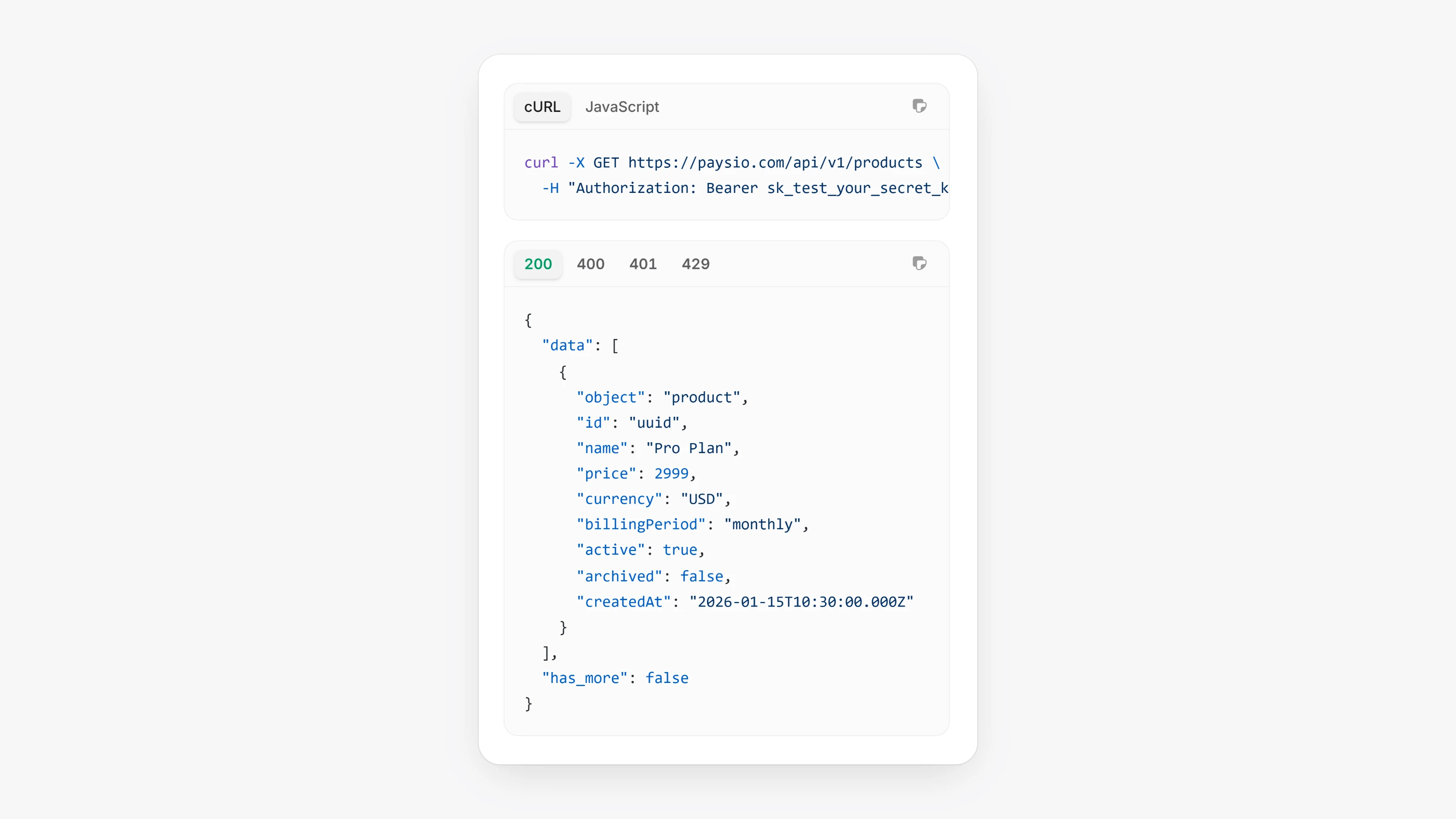
- The REST API lives at
https://paysio.com/api/v1, with/products,/customers,/transactions,/subscriptions,/chargesand/checkout-sessions. POST /api/v1/chargescharges a saved customer or a one-time card token, for an amount, a product or line items.POST /api/v1/transactions/:id/refundand/void, pluscancel,pauseandresumeon subscriptions.- Webhook events:
payment.completed,payment.refunded,payment.voided,subscription.renewed,subscription.paused,subscription.resumedandsubscription.cancelled. - paysio.js loads with your publishable key, turns card details into a token with
createToken(), and shows Apple Pay and Google Pay buttons withmountWallets().
- The Payment Links list can be filtered by where a link came from: the dashboard, the API or an invoice.
- Analytics uses your workspace timezone for Today and Yesterday.