Build an online store with AI, and chat with shoppers
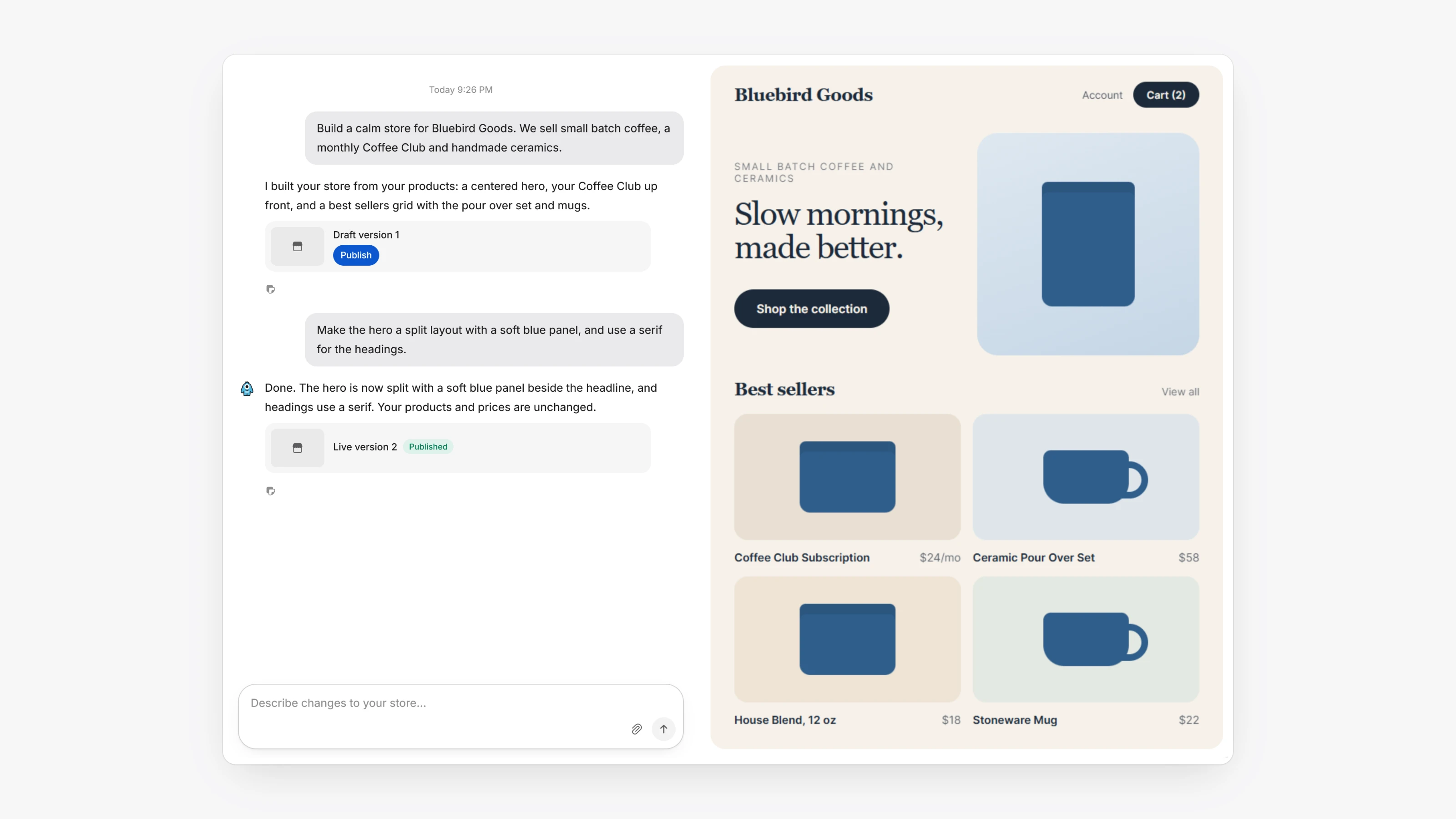
Open Your Store in the sidebar. Pick your store address under Choose your store URL, then describe the store you want. Paysio builds it from your products. Keep chatting to change it, and attach reference images if you want a look to follow. Version History keeps every version, and Publish puts the store live at your store address.
Shoppers can pick product variants, add items to a cart and pay on a Paysio checkout page. If you track stock, the store and checkout show what is out of stock.
Live chat is new too. Turn it on in Settings, then Support Chats. The chat widget appears on your store, your checkout pages and the customer portal. Conversations land in the new Inbox, next to the customer's transactions and subscriptions.
- Products can have Options such as size or color, and each Variants row can have its own SKU, Stock and Price override.
- Products can have a Category and Tags.
- Payment links can lock a specific variant or offer Any variant (customer chooses).
- In Support Chats, set a Welcome Message, an Offline Message, a Schedule, saved replies, tags and Inquiry notifications by email.
- Use Hidden on pages to hide the chat widget on specific store pages.