Start your store from a template and save versions
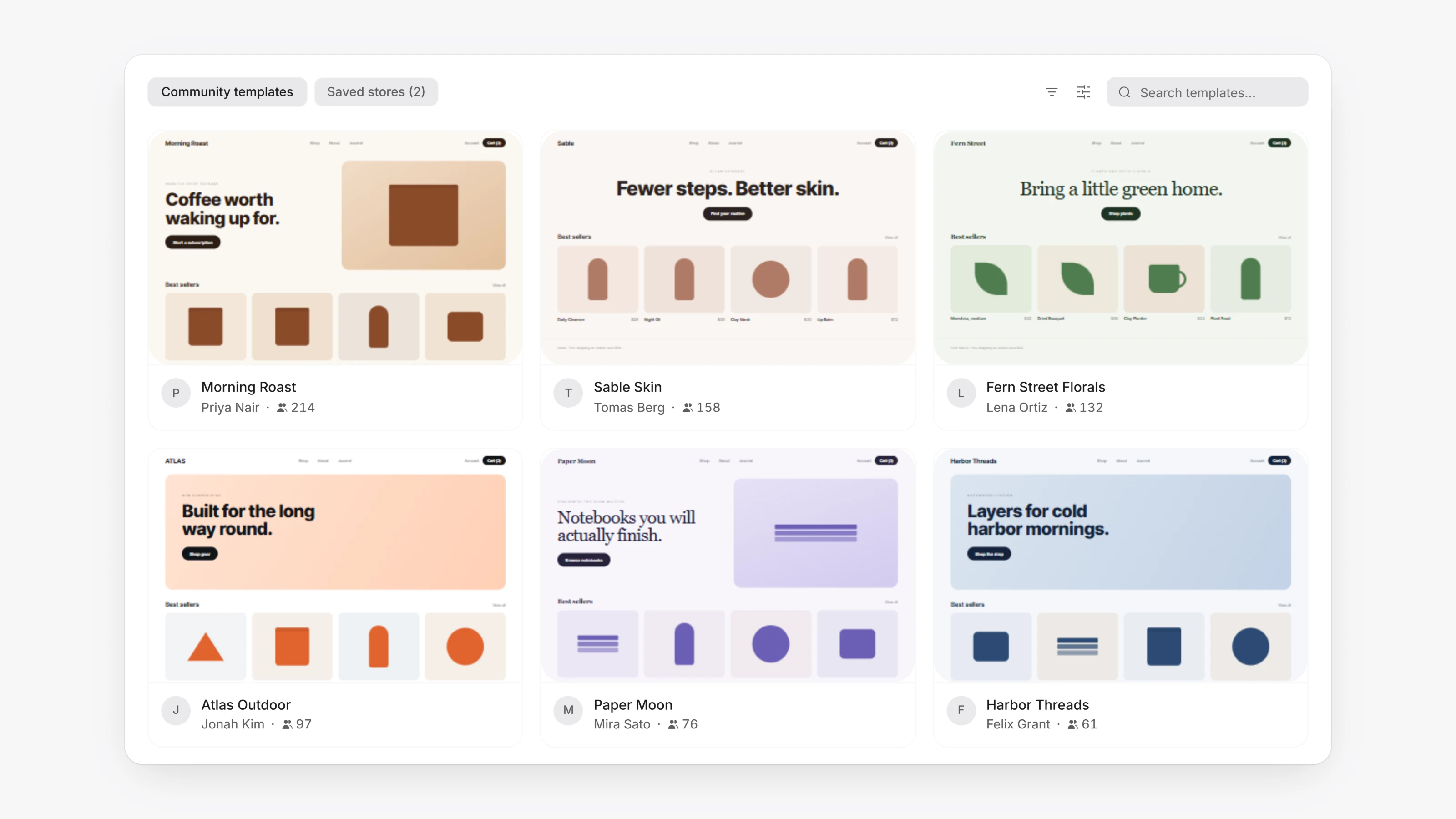
Your Store now opens on a store dashboard. If you do not have a store yet, click Start Building or pick a design under Community Templates. Filter by category, sort by Featured, Most Popular or Most Recent, preview the design on desktop, tablet and mobile, then click Use This Template.
Click Save to keep a snapshot of your current store. Your snapshots appear under Saved Stores. Open one to preview it, and click Restore This Store to go back to it.
You can also share your own design. Click Share, add a name, category and description, and click Publish as Template.