A new customer portal for your customers
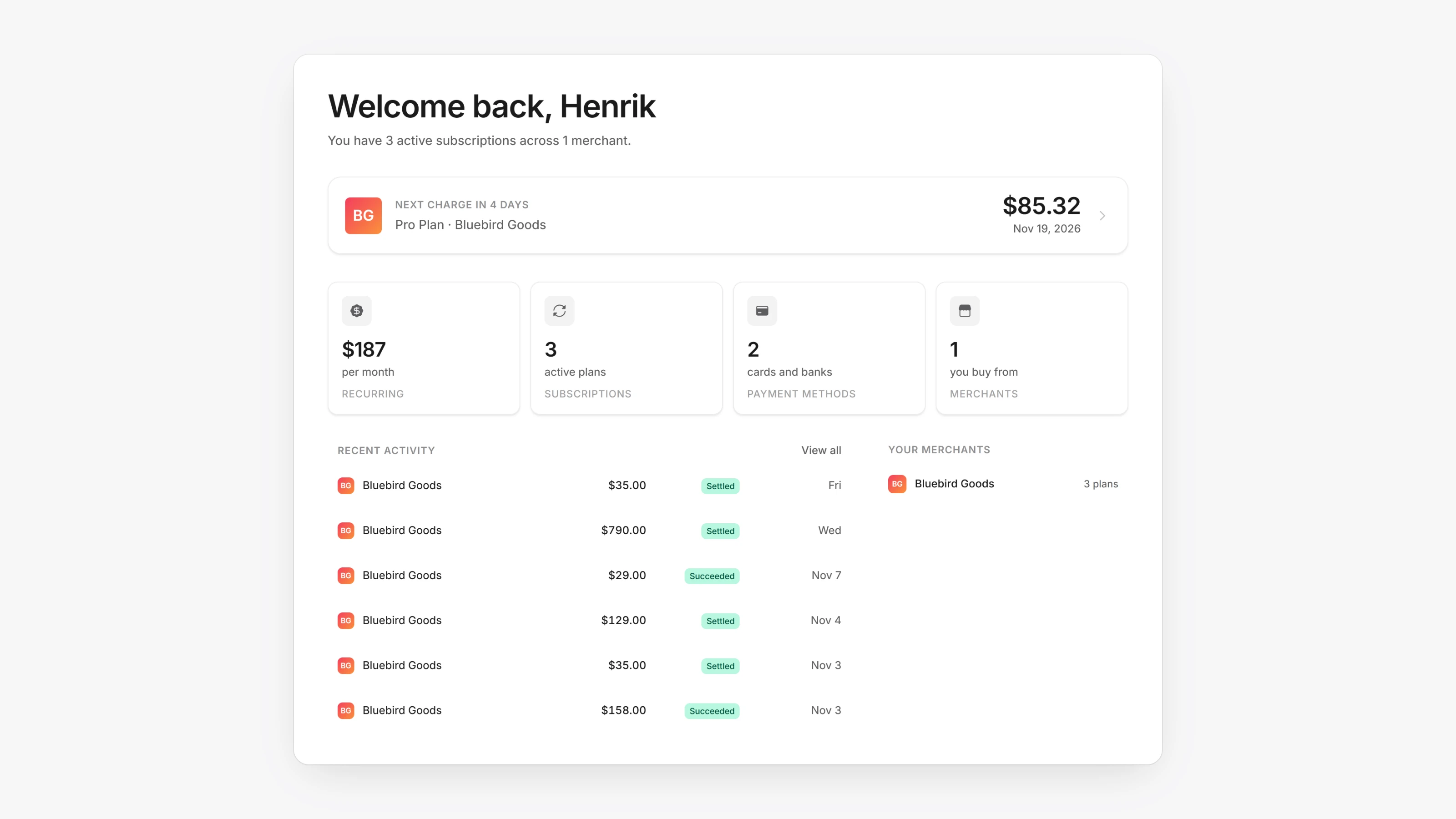
Your customers now get one portal at /portal with tabs for Home, Search, Transactions, Subscriptions, Support and Cards. Home shows active subscriptions, upcoming renewals and recent activity. Support opens live chat with merchants who have it turned on. Old portal links redirect to the new tabs.
Customers can now enter a separate billing first and last name when they add a payment method, for example for a business card. A subscription that is set to cancel can now be restored from the portal even when pausing is turned off.
- Set the currency for your whole workspace. Open Settings, then General, and pick a Currency. Products and Virtual Terminal use it.
- Get an email when someone submits a payout request. Open Settings, then Notifications, and add addresses under Payout request emails.
- Subscriptions on a card now include your dual pricing surcharge as a Card fee line, and the next charge amount includes it. Bank payments pay no fee.
- In Send money, saved cards that cannot receive a payout are shown as Can't receive and cannot be picked.
- Saved bank accounts now show the bank's logo in payment method lists and details.
- Renewals with a discount now charge percentage tax on the discounted amount, the same as the first payment.