Pay a different amount on payout requests, and handle API errors by code
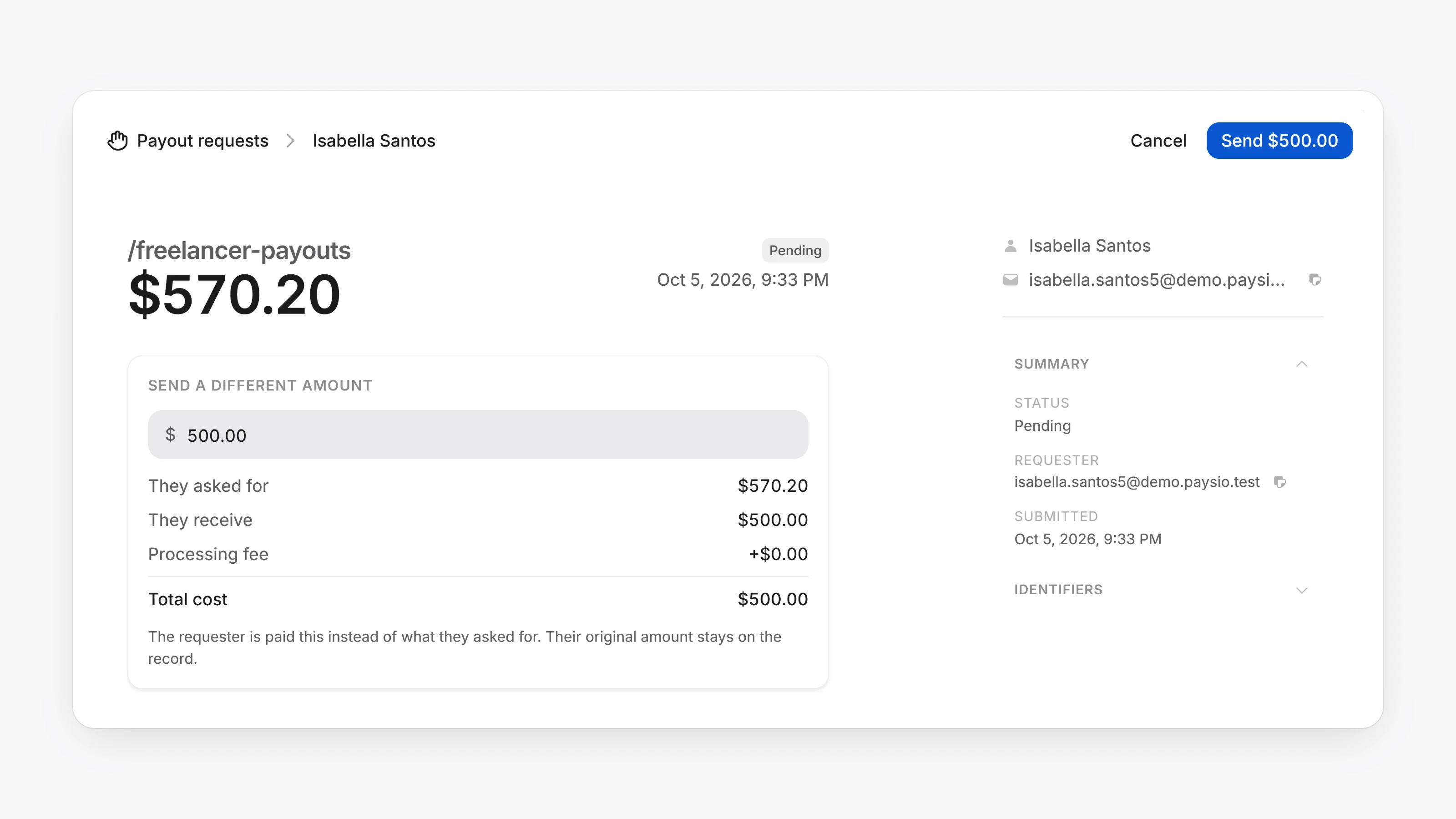
Request links can now have a ceiling. When you create a request link, turn on Request limit and enter the most anyone can ask for. Requests above it are refused on the link, so they never reach your queue.
On a payout request, you can now choose Change amount to pay a different figure. You can also click Approve & pay, or Reject. Each action asks you to confirm with a button that names the exact amount, such as Send $50.00. When you change the amount, the request still shows what the recipient originally asked for.
- New cards and bank accounts saved for a customer, entered in Virtual Terminal, or added as a payout method now need a complete billing address: street, city, postal code and country. This keeps address checks and payouts from failing later.
- Declined or failed API charges now get an order number, the same as checkout and Virtual Terminal.
- If 3D Secure is not set up for a card brand on your account, the payment goes ahead without it instead of failing.
- Declined and failed charges now return
code,decline_codeandcategory, so you can branch on the cause without reading the message. - Add
send_email: falsetoPOST /v1/charges,POST /v1/payoutsorPOST /v1/transactions/:id/refundto skip the Paysio email to your customer. - Direct
POST /v1/chargespayments now fire thepayment.completedwebhook withsource: "api", and the payload addscustomer_id. - Write endpoints now return
X-RateLimit-Limit,X-RateLimit-RemainingandX-RateLimit-Tier. Limits rise on their own as your live volume grows. - Approve a payout request for a different amount with
amountonPOST /payout-requests/:id/approve. Setmax_request_amounton a request link to cap requests. - 3D Secure authentication returns
skipped: truewhen it cannot run for a card brand. Go ahead and charge withoutthree_ds.