Create custom roles with daily payout limits
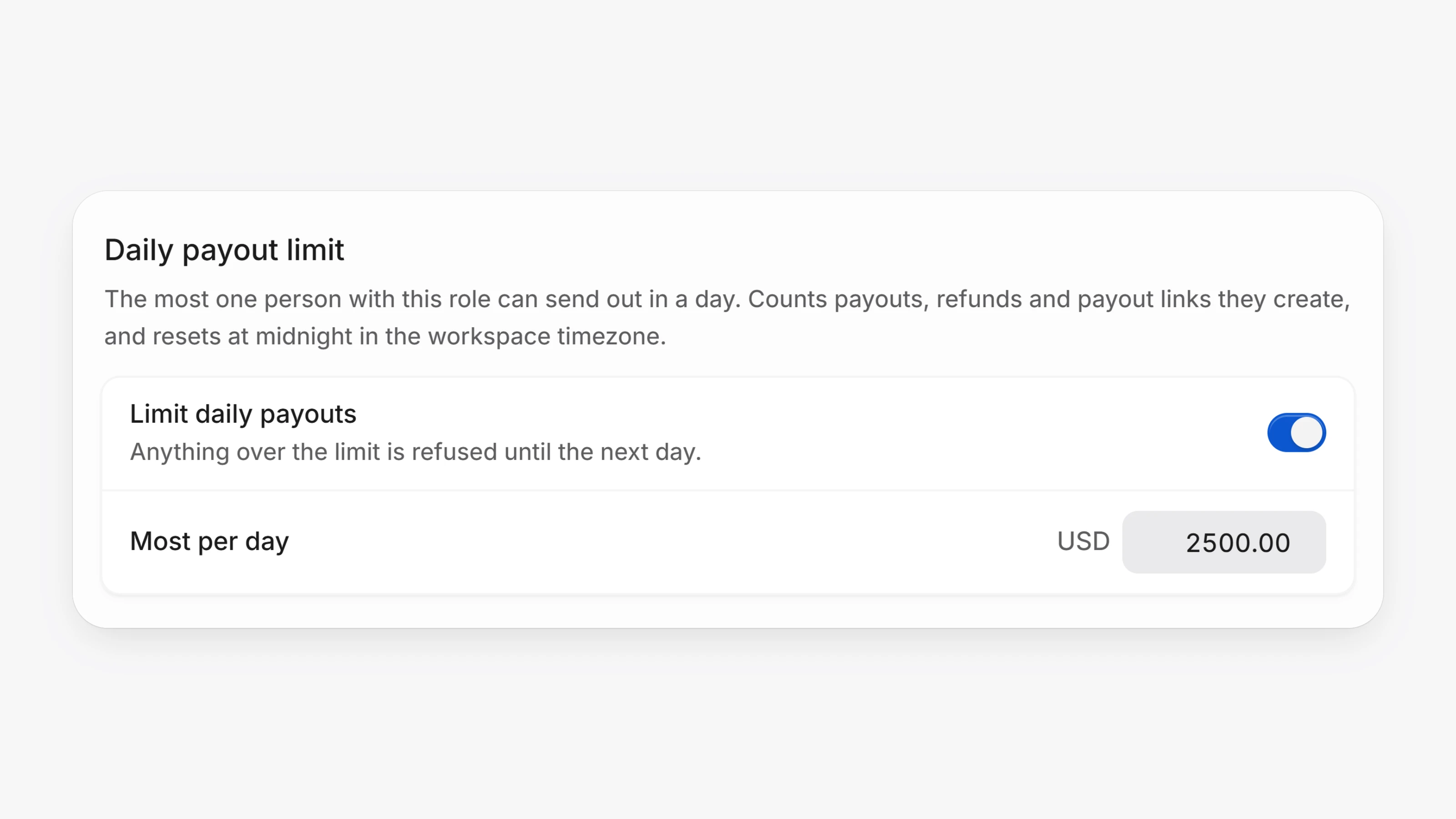
Open Settings, then Permissions, and choose New role to decide which pages a role can see. Turn on Limit daily payouts and set Most per day to cap what everyone on that role can send. Under People, you can give one person more or less than their role allows.
A new Security page under your account settings lets you turn on Sign me out when I'm idle, choose Ask for a code every time I open Paysio, or Sign out everywhere else. Log out is now on your Profile page.
- Let a customer's card skip 3D Secure when their bank fails every attempt. Open Settings, then Blocklist & allowlists, and choose Exempt a card. Fraud liability for those payments is yours.
- Apple Pay now works on Paysio Debit & Payouts.
- A payout that settles and is later sent back by the receiving bank now shows as Returned, with the reason. Your balance is credited back automatically.
- Late bank returns on payments, including stop payments, now show up in Disputes.
- Pending in on your balance now includes settled payments that are still clearing, with a note on how long card and bank payments take.
- The dashboard live feed now shows payouts from Send money, the API and payout requests. Search now lists exact matches like IDs, emails and card last four first.
- New
payout.returnedwebhook. Payouts now includereturned,returned_at,return_codeandreturn_reason. amounton/v1/payoutsis now what the recipient receives. The fee is taken from your balance on top of it.elements.simulateWalletPaymentwas removed from paysio.js. Test Apple Pay and Google Pay with the normal sandbox flow.