See a fraud risk score on every payment
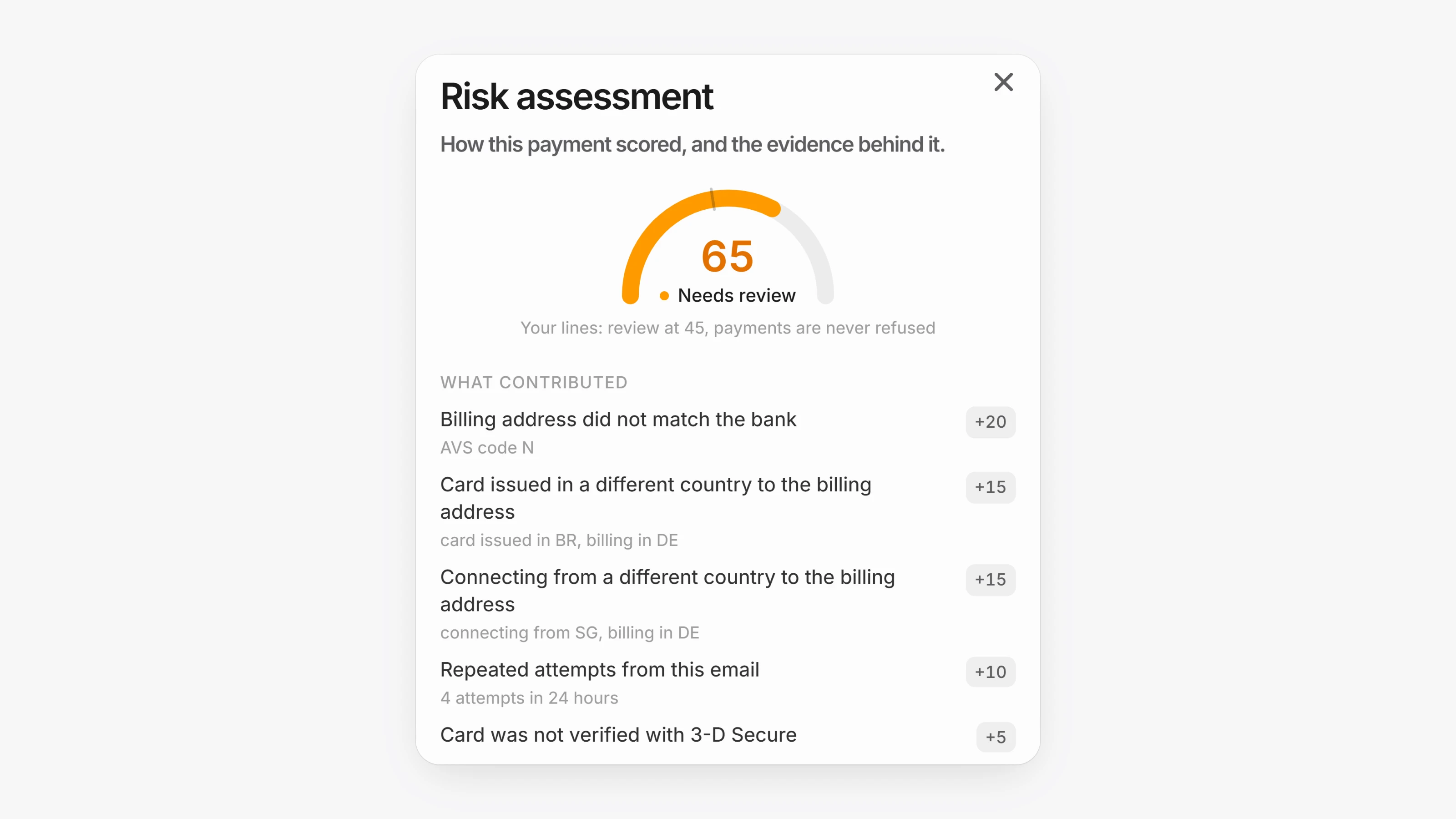
Every checkout now gets a risk score out of 100. The score comes from velocity, the buyer's history with you, and whether the card, the address and the connection agree. Lower is better. Scoring is on for every workspace and only records and flags. It never refuses a payment on its own.
Open Settings, then Risk scoring to set where payments get flagged with Flag for review at, and to change how many points each signal adds. Flagged payments are charged as normal. To find them, open Transactions and use the Risk filter with Needs review. Open a payment to see its Risk assessment and approve or reject it.
If you want Paysio to refuse payments above a threshold, turn on Refuse high-risk payments and set Refuse at. It is off by default, and we suggest watching the review queue for a few weeks first.
- Transactions now include
riskScoreandriskDecision(allow,revieworblock).blockonly happens when you have turned on refusing payments. - New Invoices API:
GET /v1/invoices,POST /v1/invoices,GET /v1/invoices/:id,POST /v1/invoices/:id/sendandPOST /v1/invoices/:id/void. Invoices are created as drafts unless you passsend: true. - Set
unit_priceon invoice items, and online_itemsin/v1/chargesand/v1/checkout-sessions, to charge a negotiated price for a catalog product. Recurring products are not supported. - Invoices have a new
processingstatus while a Paysio Debit & Payouts payment settles.
- An invoice paid through Paysio Debit & Payouts shows Processing until the payment settles. If the payment fails, the invoice opens again.