Work faster in every list
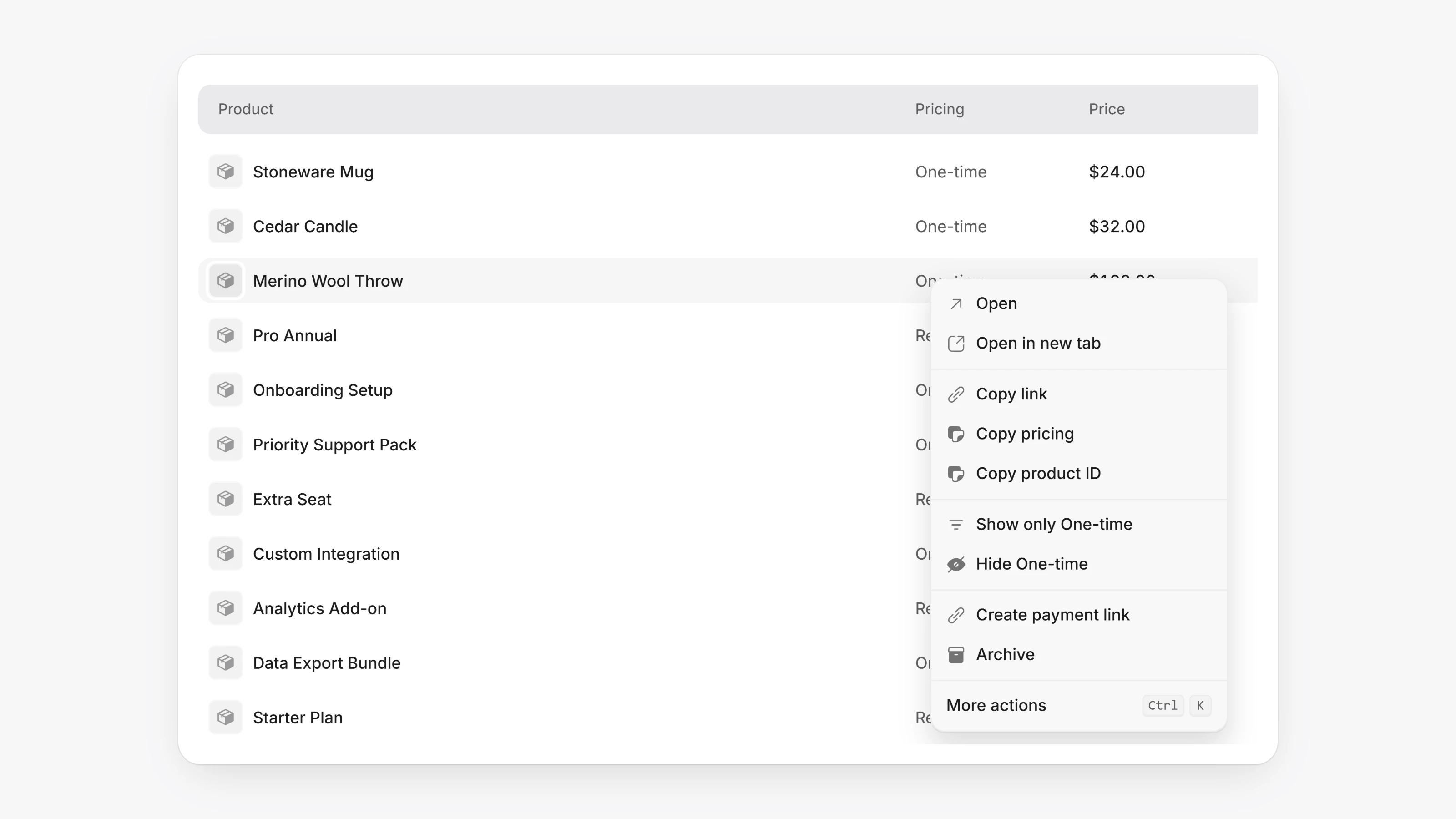
Transactions, customers, invoices, subscriptions, products, payment links, payout links, payout requests, disputes, discounts and campaigns all use the same table now. Use the arrow keys or j and k to move between rows, and Enter to open one. Press x or Space to select a row. Click a column header to sort or filter by it.
Right-click a row to open it in a new tab, copy a value or ID, or show only or hide that value. More actions opens the command menu for that row. Drag a column edge to resize it. Long lists now scroll smoothly because only the rows on screen are drawn.
A paid payment whose money has not reached your balance yet now shows Funds pending instead of Clearing. The same label is used on the payment and on the Balance page.
- Payments in search, on customers and on disputes now show the same status word as the main transactions list.
- Workspace owners on any plan can delete a workspace. Open Settings, then General, and use Delete workspace in the Danger zone.
- If a 3D Secure request uses a token or card ID and no email, your Allowlist: 3DS exemptions now matches on the customers who saved that card.
paysio.jsalso accepts anemailwhen authenticating. - The help text for bank payments now says funds take about 6 business days to reach your balance.
- Shoppers with a content blocker can open the hosted payment page again.
- If a payout link payout was declined, the recipient can now try again right away.
- Payments that never went through can no longer be cancelled, so the customer does not get an order cancelled email after a declined card.