A new Home for the Agent Dashboard
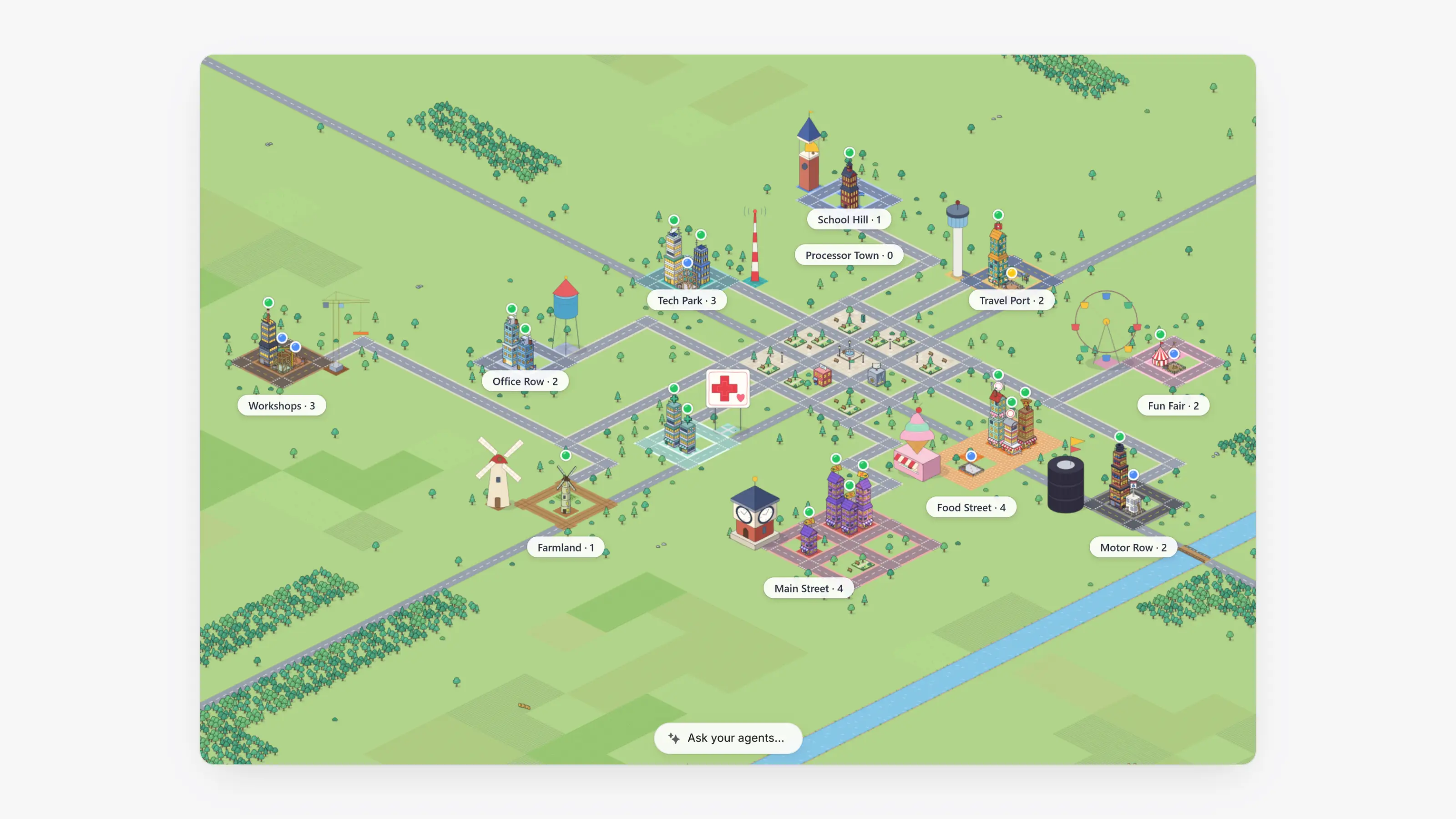
The Agent Dashboard now opens on Home, a map of your book. Each merchant is one building in a district for its kind of business, such as Food Street, Main Street, Tech Park or Workshops. A building grows taller with the merchant's volume, its lights are on while it takes payments, and a red roof light means trouble, like a drop in approvals or chargebacks that are a real share of its payments.
Merchants still onboarding are buildings under construction, from a fence and a foundation to a frame, a crane and painters as they move through the application, signing, review and the bank. A ribbon means it went live today, and a waving teammate means it needs you. Click How to read the city (the question mark) for the full legend.
The bar at the top shows the period's volume, payouts and earnings and how many merchants are live, onboarding or need you. Click a figure to light up those buildings, and pick Today, 7 days, 30 days or This month. Click a building to see its numbers, then Open to go to the merchant. Switch to Overview for the same book as blocks and charts.
The list you used to see on Home is now To do, right under it in the sidebar. Its count is the number of merchants and emails that need you, and old links to the inbox still open it.
- Type a merchant's name in Ask your agents at the bottom of Home to find it on the map, or press Enter to ask the AI.
- Click a figure in the top bar and its buildings get a bright pink outline, while the rest of the map fades.
- How to read the city opens in the bar at the top, the same way a merchant's details do.
- A red roof light now needs a clear pattern, such as two or more chargebacks, not a single one.
- In Mail, the button beside the menu on a reply makes it bigger, to read and write a long email. Press Esc or click it again to put it back under the thread.
- Earnings now lives inside Analytics, built from the same blocks as Home. Old Earnings links open it.
- On a merchant's Fees tab, Apply charges new Paysio fees right away, with no signature. Send to sign still waits for the merchant, and a change to card rates always needs their signature.
- Sent an application link by mistake? Cancel link on the application step stops it, and nothing is emailed. Reactivate turns it back on for 30 days at the same address, and Send again emails it.