The AI in the Agent Dashboard can now do what you can do
The AI in the Agent Dashboard now reaches everything you can reach in the console: merchants, applications, documents, mail, pricing templates, contacts, apply links, settings and more. Open Agents and ask in plain words, like "extend the apply link for Bluebird Goods" or "which merchants are still waiting on a signature?". It finds the right merchant, reads what it needs and does the job.
It works with your own permissions. Before it sends something, moves money or pricing, deletes something or changes access, it shows a card with every value, and nothing happens until you confirm. A plain change you asked for is saved right away, and a change to more than 10 things at once comes as a card first. Fees and prices only ever use numbers a person gave it.
It also works with files. Attach a statement or a spreadsheet with the paperclip and ask about it, or ask it for a spreadsheet, a PDF, a Word document, a deck or a chart. The file comes back as a card in the chat: a PDF or a picture opens in a new tab, and anything else downloads. Card, bank and tax numbers are cut to their last four digits first.
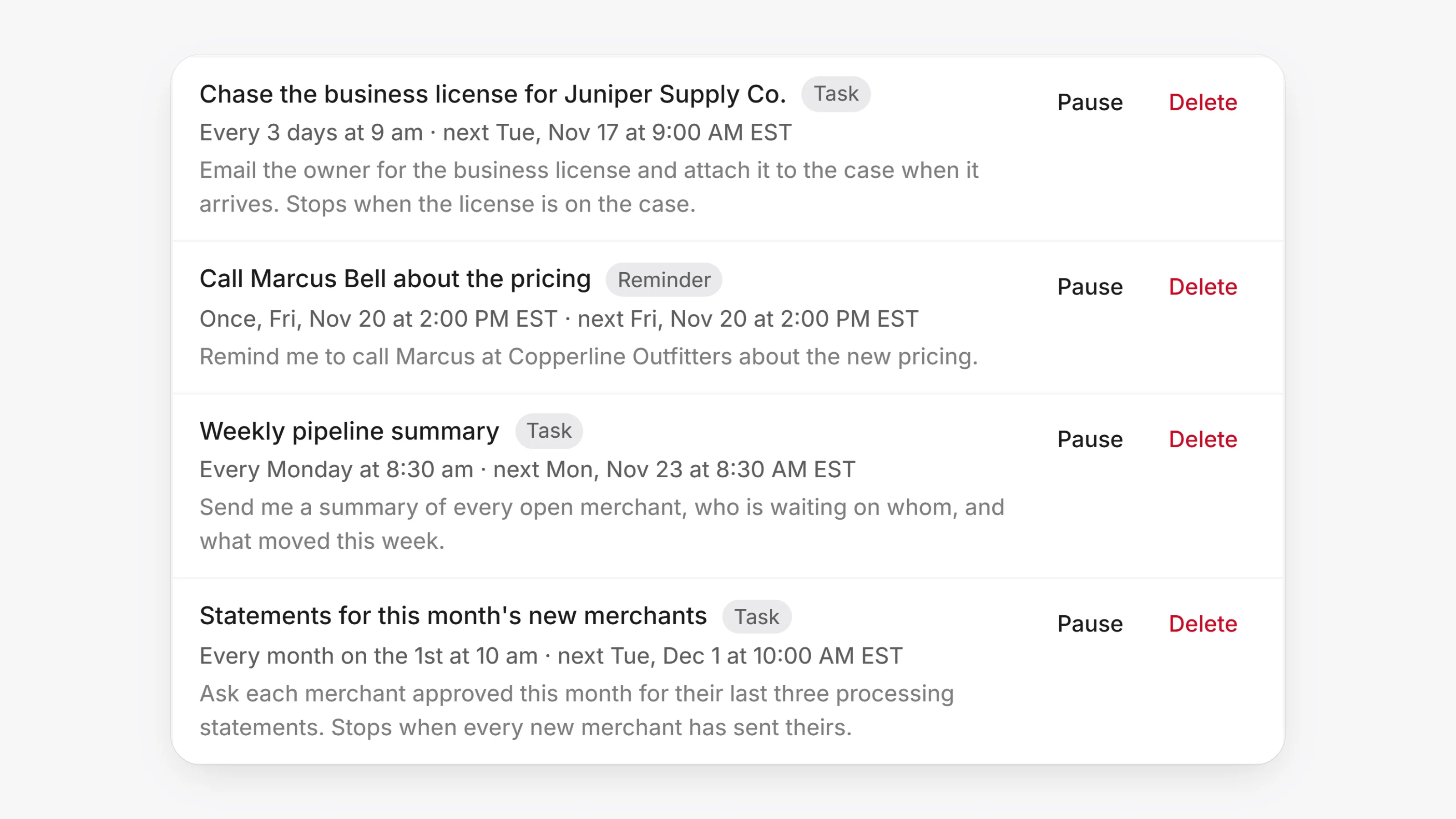
It can keep time for you too. Ask "remind me Friday to call Joe" or "chase the license every 3 days until it arrives". Open Settings, then Scheduled to see each reminder and task, when it runs next, and to Pause, Resume or Delete it. Anything a run would send still waits for your click.
- Cmd+K (Ctrl+K on Windows): type what you want to do and pick it under Do it here. Each row says what it does, such as Reads only, Saves or Sends to someone. Reads show their answer at once, and anything that sends, moves money, deletes or changes access shows every value first and runs only when you click.
- Web lookups: ask it to look something up, such as a business's website or a processor's published rules, and it searches the web, reads the pages and tells you where each fact came from.
- Statements: attach a merchant's processing statement and ask for the effective rate, the fees and the savings. Savings are worked out against pricing you typed or one of your Pricing templates, never a guess.
- Teammates: mention a merchant's teammate in a comment on the merchant's Activity and it does what you asked. It can retry a step that failed using what the merchant's file already holds, and it closes tasks once the merchant's file shows they are done.
- Cards that wait for you have a grey background instead of a yellow outline.
- A question with several right answers lets you tick more than one before you continue.
- Up to 20 files can go in one message. Extra files are left out with a note, so nothing is lost silently.