Import from mail, rebuilt
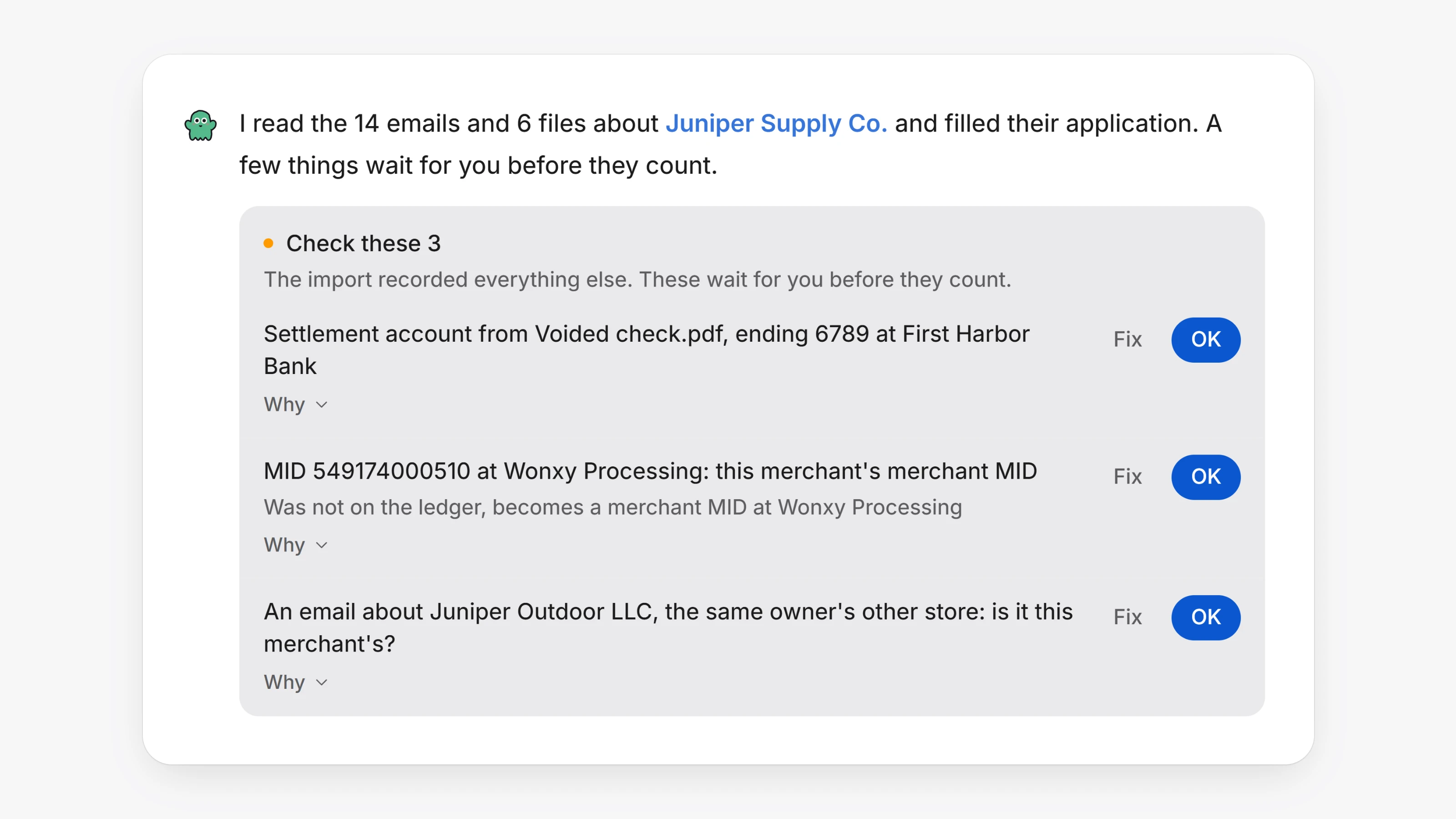
When you import merchants from your mailbox, Paysio now reads each merchant's emails and files together, in one pass, and fills in their application from them. Every value it fills says where it came from, so you can always see why a field reads the way it does.
A few facts need a person before they count: the bank account money settles to, a merchant ID, where the merchant stands with a processor, and anything the AI is unsure of. These wait on one Check these card in the chat. Click OK to keep a row, or Fix to pick the right answer, and click Why to see the email or the page of the file it came from. Until you do, the merchant shows how many are left to check.
The merchant's page shows the result under Details, in Import from mail: what was Found in the mail and what is Still missing. When an import finishes, its card in the chat links straight to it with Open the import report.
- Bank numbers are filled from the merchant's voided check when their application has none and nobody typed them, and only when the routing number checks out.
- An email about the merchant that also mentions a sister business stays with the merchant.
- A deadline like "by November 25" gets the right year.
- An offer to approve on terms the merchant has not accepted is no longer read as an approval.
- A merchant's reply to a processor's question is filed with that processor.
- Funding holds and their releases are recognised, so a released hold no longer shows as open.
- A merchant's own price sheet is never saved as your buy rates, and fees found in files are listed for you, never applied.
- Files you drop into the chat are read the same way, and their Check these card comes to that chat.
- If an import reaches its daily limit for a merchant, the merchant shows it as something that needs you, and nothing is retried in the background.