Fraud and device signals on merchant links
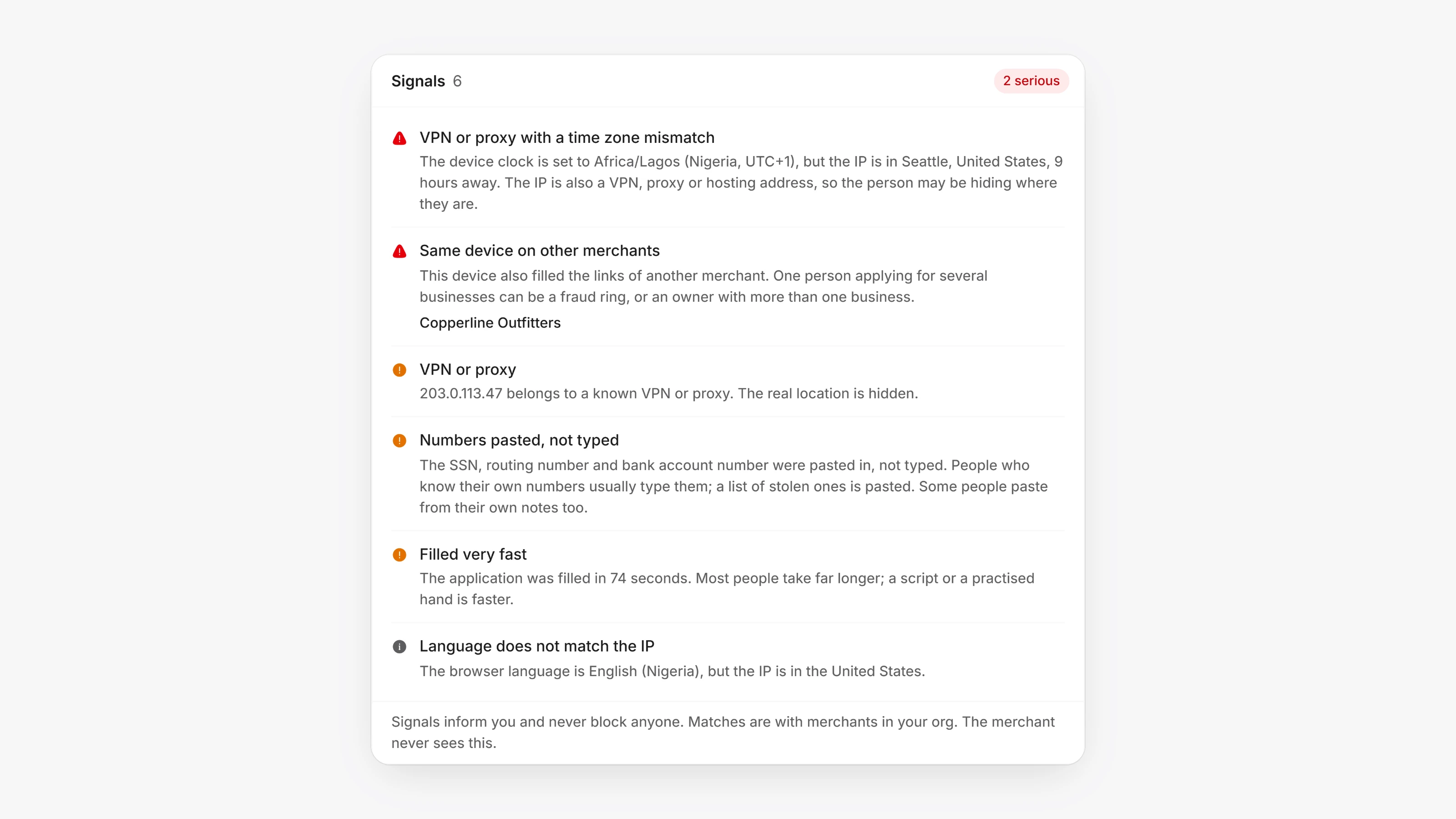
Each merchant's page in the Agent Dashboard now shows who acted on their links, from where and on what device. Open the merchant, then Details, and scroll to Signals and Link activity.
Signals lists what looks unusual, most serious first: a VPN or proxy, a device clock that does not match where the IP is, the same device or IP on another of your merchants, an SSN or bank numbers pasted rather than typed, an application filled very fast, and more. Click an IP in Link activity to see its Network, Device, Browser and Form details.
Signals inform you and never block anyone. Matches only look at merchants in your own org, and the merchant never sees any of this.
- The merchant's apply and sign pages tell them, next to the signing terms, that the pages note the device and network details their browser shares to help prevent fraud.
- Nothing is ever read from what the merchant types. For sensitive numbers, only whether they were pasted or typed, and how long they took.
- A merchant who only opened a link from the same IP as another merchant is marked as having opened it only, since that can be someone on your team looking at it.