Your AI teammate makes files and asks better questions
Ask the teammate on Agents, or in the side chat, for a file: a spreadsheet of this month's payments, a report on your top customers, a chart of sales by week, or a document. It makes it from your own data and the files you attach, and only from the pages your role can see. Card, bank and tax numbers are cut to their last four digits first.
The file comes back as a card in the chat that says what it is, such as Spreadsheet, PDF or Presentation. Click Open to see a PDF or a picture in a new tab, or Download for anything else.
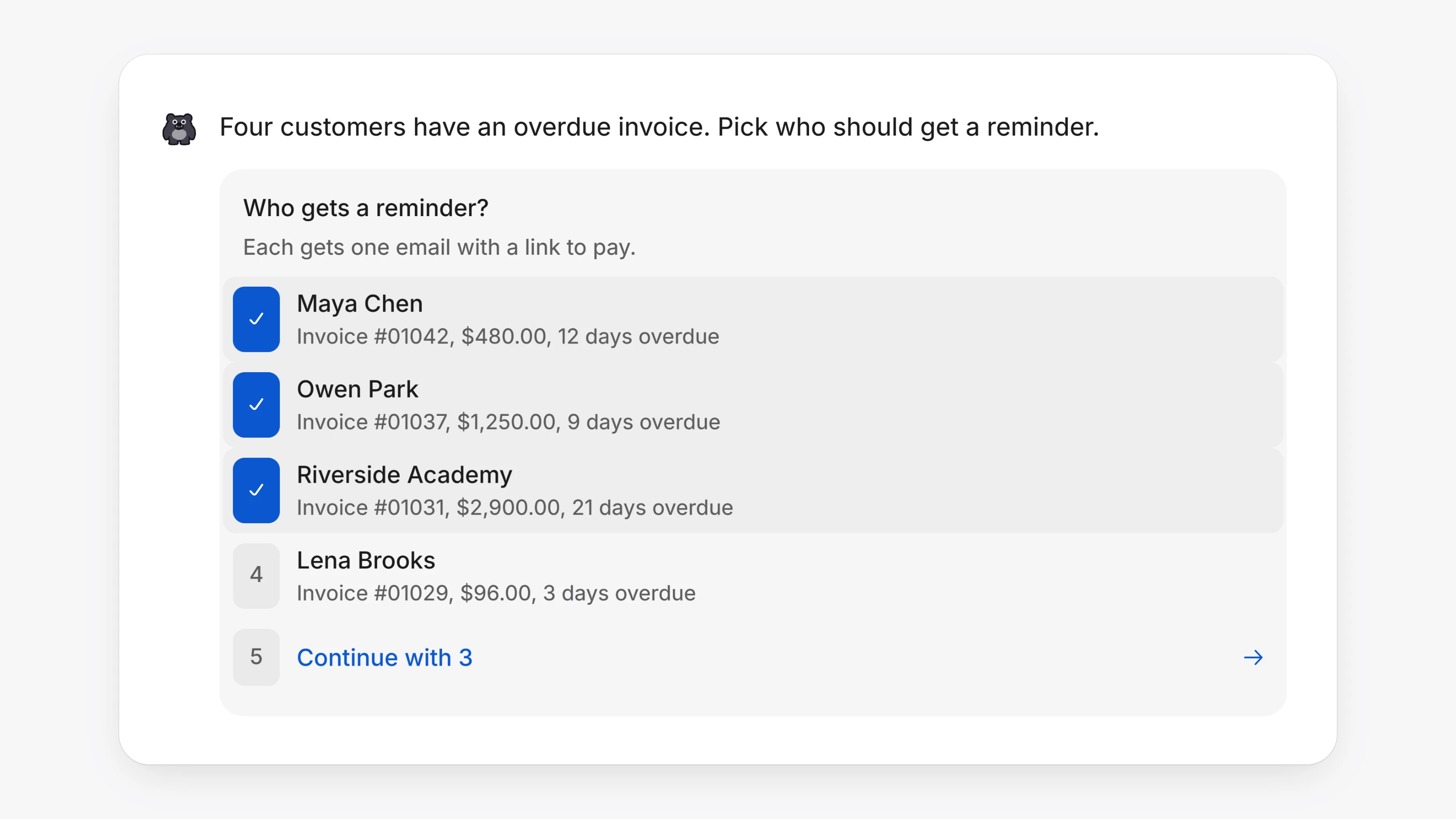
When a request has more than one right answer, like which customers to remind or which products to change, the teammate asks with a list you can tick. Click each row, or press its number, then click the last row, which reads like "Continue with 3". A question with one answer is still a single click.
- Closing the side chat with Close keeps your conversation. Only a new chat starts another.
- A message you just sent no longer flickers away while the chat refreshes.
- Hover a long attachment name to see all of it.
- Up to 20 files can go in one message. Extra files are left out with a note.