See what Paysio billed and kept on each merchant, and a cleaner Mail
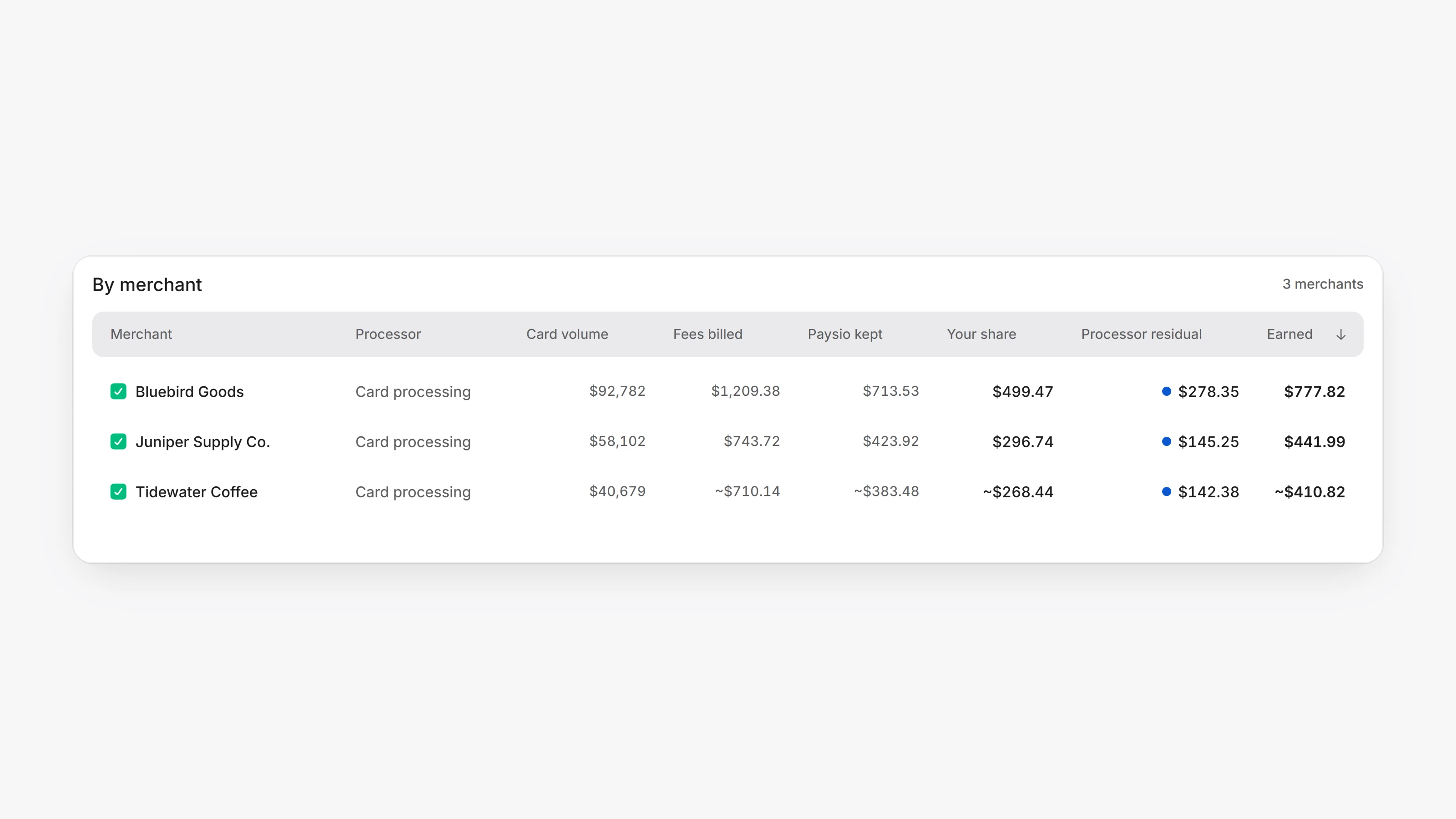
If your organization has a revenue split with Paysio, your earnings now show where your share comes from. In the Agent Dashboard, open Analytics and click See all on the Earnings block. The By merchant table has two new columns before your share: Fees billed is what Paysio billed the merchant in fees, and Paysio kept is what Paysio kept of it after its own costs.
The column that was Paysio fees is now Your share: your split of what Paysio kept, plus any margin of your own on what Paysio bills. Hover a figure to see what it means. A figure that starts with ~ is an estimate until the month's fee invoice is paid.
Mail now reads like a mail app. Each row shows the sender's name, the subject and two lines of the message. Images that sit inside an email, such as a logo or a signature photo, are no longer listed as attachments, and a file attached twice shows once.
- The folder rail beside the Merchants table is gone, so the table has the whole page. Group and filter your merchants with tags instead. Manage them in Settings, then Merchant tags.
- In the sidebar, Payout logs and Reconciliations now show only while you are in Payment logs.
- When Paysio is updated while you have it open, the page now moves onto the new version by itself. Before, a page could fail to open until you refreshed.
- On a merchant's Fees tab, Change pricing now lets you Apply a change to Paysio's fees right away when the merchant has no card rates on file. Before, only Send to sign was available.