Statement summaries and stronger owner checks
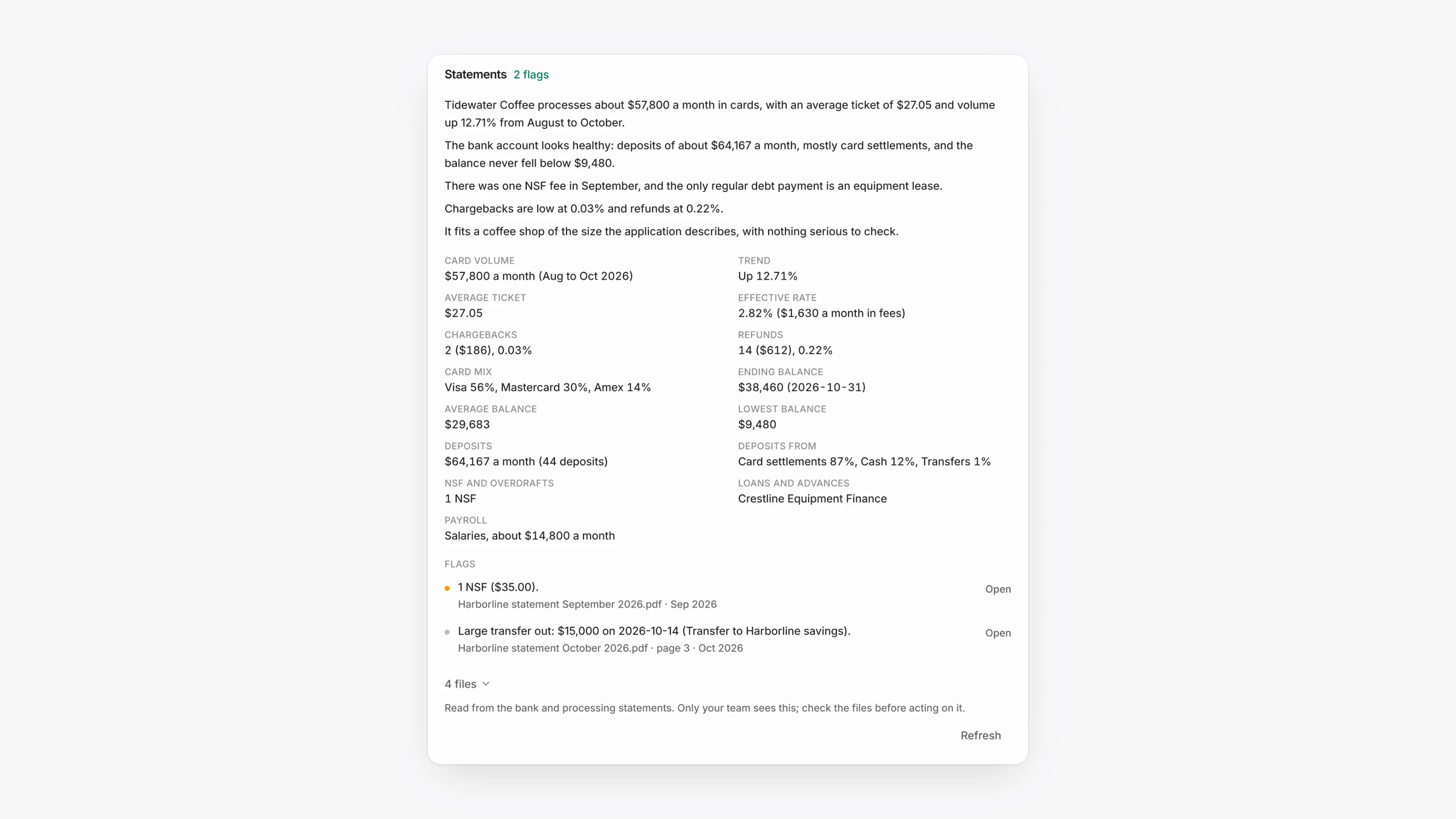
Bank and processing statements a merchant sends are now read automatically, however they arrive: on their application link, in an import from your mailbox, or uploaded by your team. Open the merchant in the Agent Dashboard and click Business checks. Under the automatic checks, the Statements section gives a short summary, the numbers that matter, such as card volume, average ticket, effective rate, chargebacks, balances, deposits and loan or cash advance payments, and flags such as NSF fees, large transfers or totals that don't add up.
Each flag names its file and month, and Open opens the file at the right page. The files row lists every statement and whether it was read, and Refresh reads again any file that could not be read. Account numbers are kept to their last four digits. Only your team sees this section, never the merchant, so check the files before you act on it.
The automatic checks now also look at the numbers on the application. Under Owner ID, each owner's SSN is checked for the right length, numbers that are never issued, well-known sample numbers and ITINs, and a US business needs at least one owner with a valid US SSN. An owner who lives outside the US is never expected to have one. Under EIN, the number needs 9 digits and a prefix the IRS issues, and it can't be an owner's SSN unless the business is a sole proprietorship.
These checks are flags for your team only. They never stop a merchant from filling in or sending their application. A smaller issue, such as an ITIN when another owner has a valid SSN, shows as an amber warning instead of a failed check.