A simpler start, a new Home, and Paysio on your phone
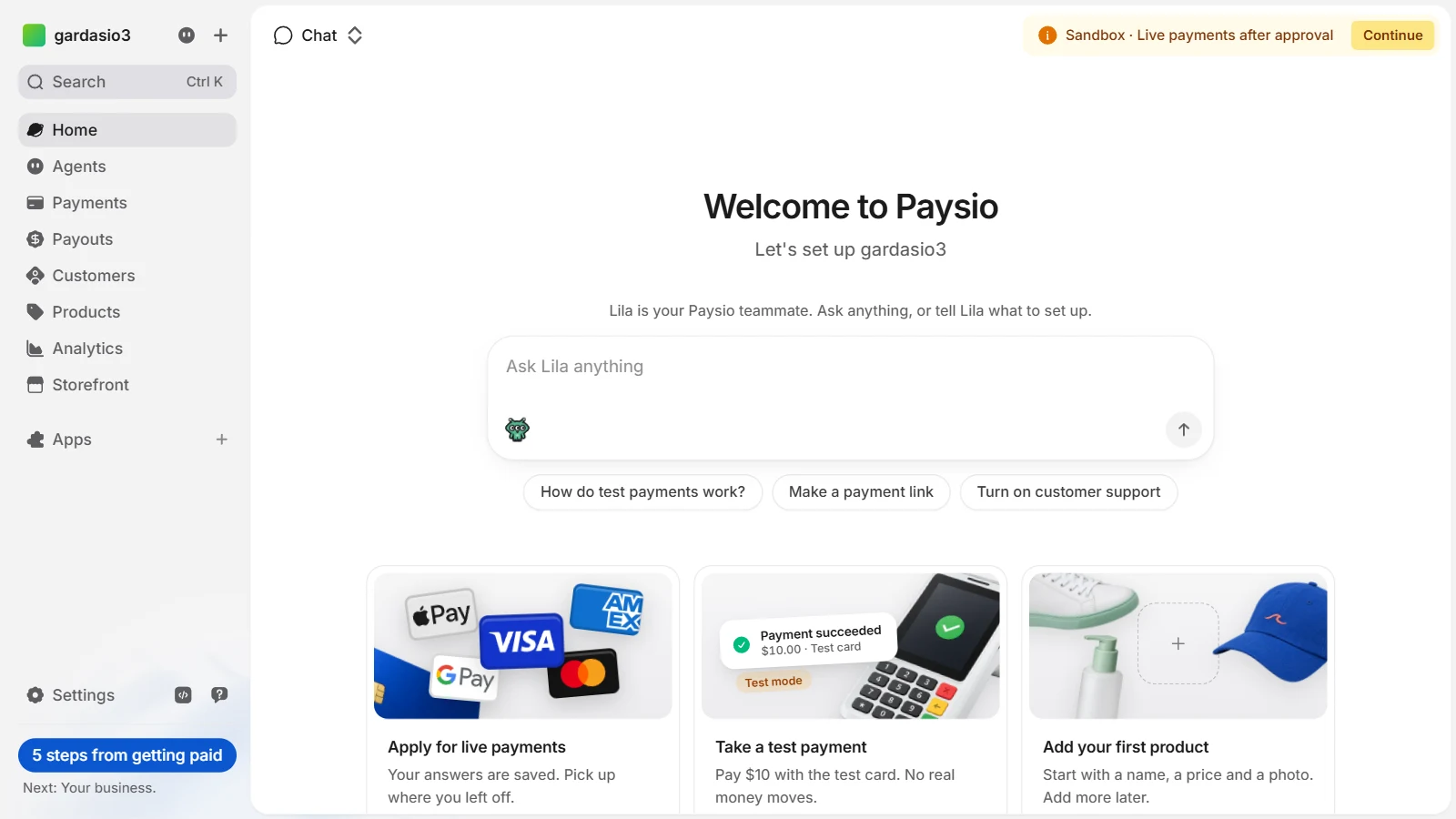
New workspaces now start in sandbox. You can try everything with test money right away: take a test payment, add products, build your store. Live payments turn on once your application is approved, and a short yellow note at the top of Home shows where your application stands.
Right after you create a workspace, three short steps ask the easy things first: a few details about you, when you want to get paid, and the bank account your money goes to. Everything you enter fills in your application for you. Create another workspace later and those steps come filled in with what you already gave.
Home now opens with your teammate. Type what you want in the message box, or pick a suggestion. Below it, cards walk you through what to do next, starting with Apply for live payments. Once you are set up, Home shows today's sales, payments, visitors and next payout, updating as payments come in.
The sidebar button under your workspace now follows your application: how many steps are left, when it is in review, and what to fix if anything is needed. When live payments are on, you get one email and a short welcome on Home.
- Settings opens on a page of cards and has fewer, clearer pages: Business details, Team, Payouts and Fraud & risk each bring related settings together. Your theme is now one dropdown.
- Creating a payment link, product, invoice, payout link, discount or campaign is quicker. The fields you need come first, optional settings fold away with a short summary, and the preview stays beside the form.
- On your phone, the dashboard now works like an app: tabs at the bottom, sheets that slide up, and swipe from the left edge to go back.
- Analytics shows many more blocks in three columns, including refunds, approval rate, how customers pay, sales by hour and your Paysio fees.
- Inbox is now an app in the Apps store. If you already use support chat, it is installed for you.
- When live payments are on, Home can suggest your next best steps, based on your own sales from the last 30 days.
- If adding money to your balance gets no clear answer from your bank, Paysio now tells you it is confirming the top-up and holds a second one of the same amount, so you are never charged twice.
- A refund that gets no clear answer from the card network is checked before it can be tried again, so it can never be sent twice.