Smarter fraud protection, with your teammate on watch
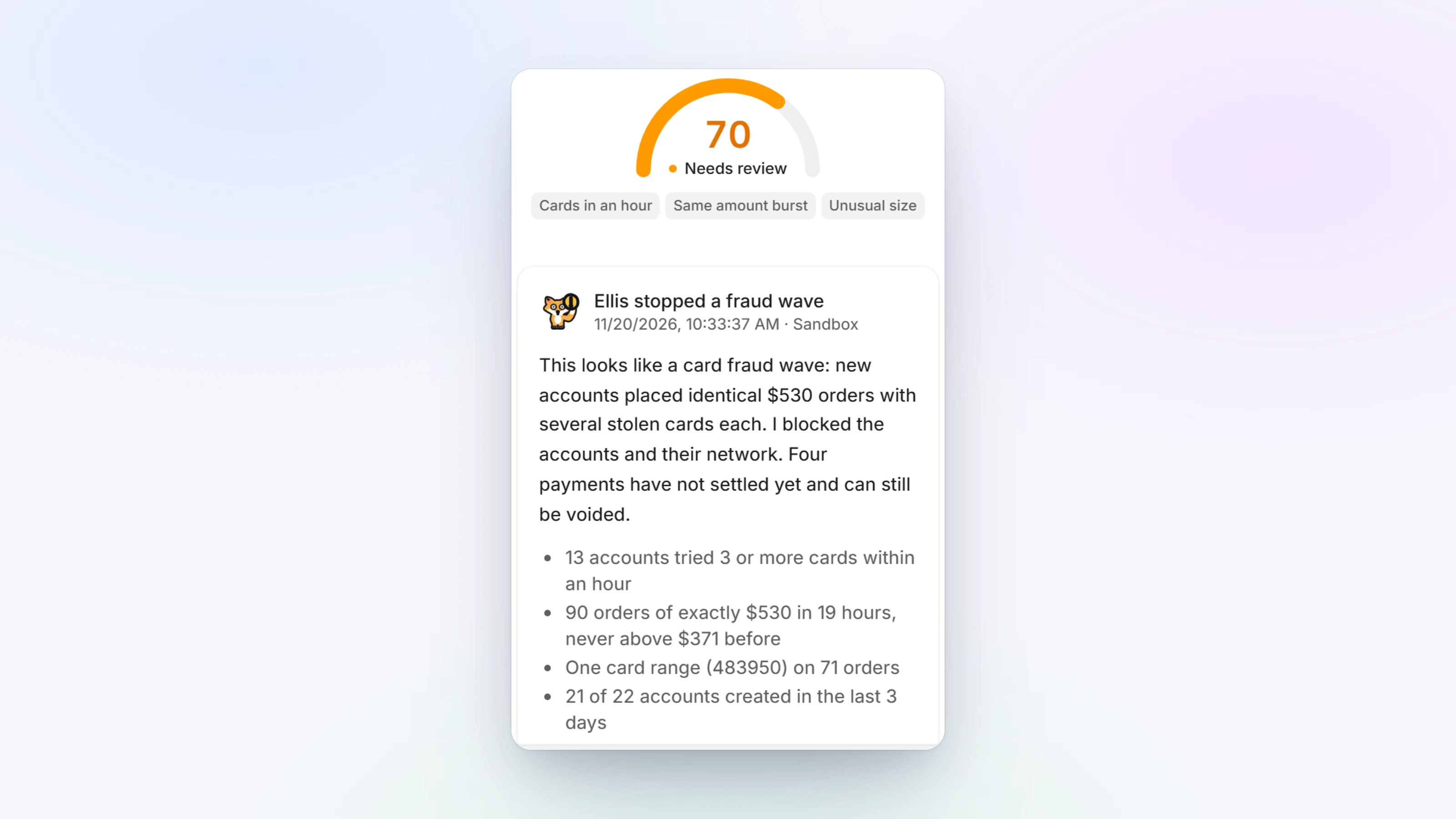
Risk scoring now recognises how fraud waves really look: one account trying several new cards within minutes, a small test charge followed by a large one, an old quiet account that suddenly wakes up, many orders for the exact same amount, and orders far larger than anything your store normally sees. Accounts that share a device, a network, a phone or an address are counted as one buyer, so making a new account no longer starts over.
When a payment looks suspicious, your teammate reviews it right after it goes through, looking at the whole picture: the buyer, linked accounts, cards, the device and your store's usual sales. It explains what it found on the payment's page and suggests what to block in one click. Checkout never waits for it. Voiding a payment always waits for you.
Paysio now records the device and network behind every card payment made through Paysio checkout and card fields, including payments from your own website and plugins. You can block a device the same way you block an email or a card.
- In Settings, Fraud & risk, turn the teammate's review on or off, and choose whether it may block fraud on its own. Each block it adds says why and can be undone.
- Blocked buyers can no longer be paid out. New payouts to them are refused, and payouts already waiting are held until you release or cancel them. Turn this off in Settings, Fraud & risk if you need to.
- The block list is easier to manage: search, filter by type, and settings at the top.
- Sign in, create a workspace and the first setup steps have a new look.
- Toasts carry a useful button, like Copy link after creating a payment link, and creating a product from a payment link brings you back to it with the product added.
- On your phone, every list shows what matters at a glance: the name and amount, the status and when it happened, and the reason when something failed.
- In test mode, Add money now works on a brand new account, so you can try payouts with test money right away. If you have no card or bank saved yet, you can add one right inside Add money.
- Payment links created in a brand new test workspace could open as unavailable. They now work.
- A customer's timeline showed every saved card at the time the customer was created. Each card now shows when it was saved.